

Make a Payment
Scan the QR code with any UPI app to pay Aditya Softwares
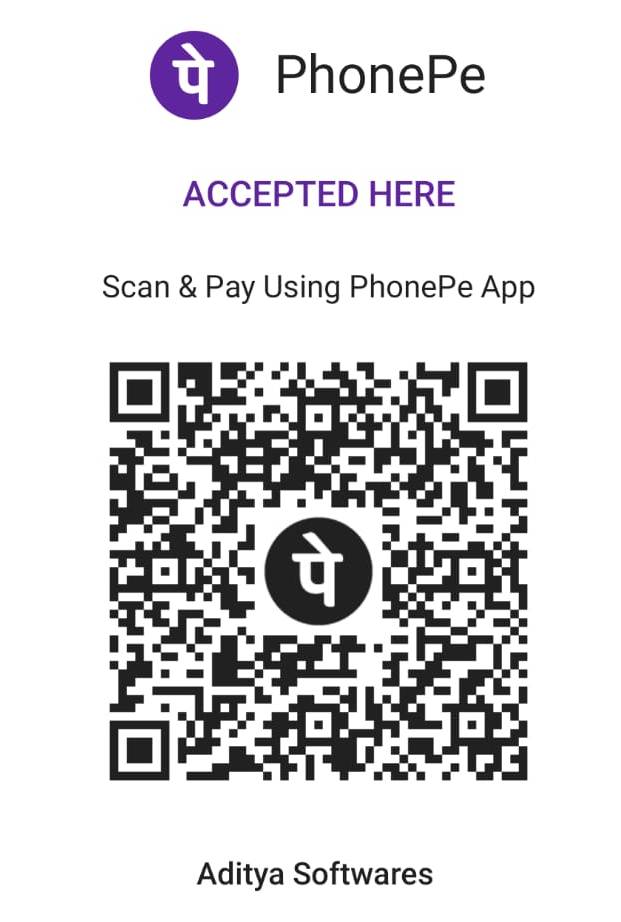
Works with PhonePe, Google Pay, Paytm, BHIM and any UPI app
How to pay
- 1 Open your UPI app PhonePe, Google Pay, Paytm, BHIM or your bank’s own app.
- 2 Scan the QR code Point your camera at the code on this page.
- 3 Enter the amount Check that the payee reads Aditya Softwares before you confirm.
- 4 Send us the receipt Share the payment screenshot on WhatsApp so we can confirm it against your invoice.
Payment queries
Call us if anything looks wrong, or to confirm a transfer.
JJ Plaza, 2nd Floor, Huzrat Pul, Lashkar, Gwalior, Madhya Pradesh 474001
Always confirm the payee name shows
Aditya Softwares before confirming a payment. We never
ask for your UPI PIN, OTP or card details — over the phone or otherwise.